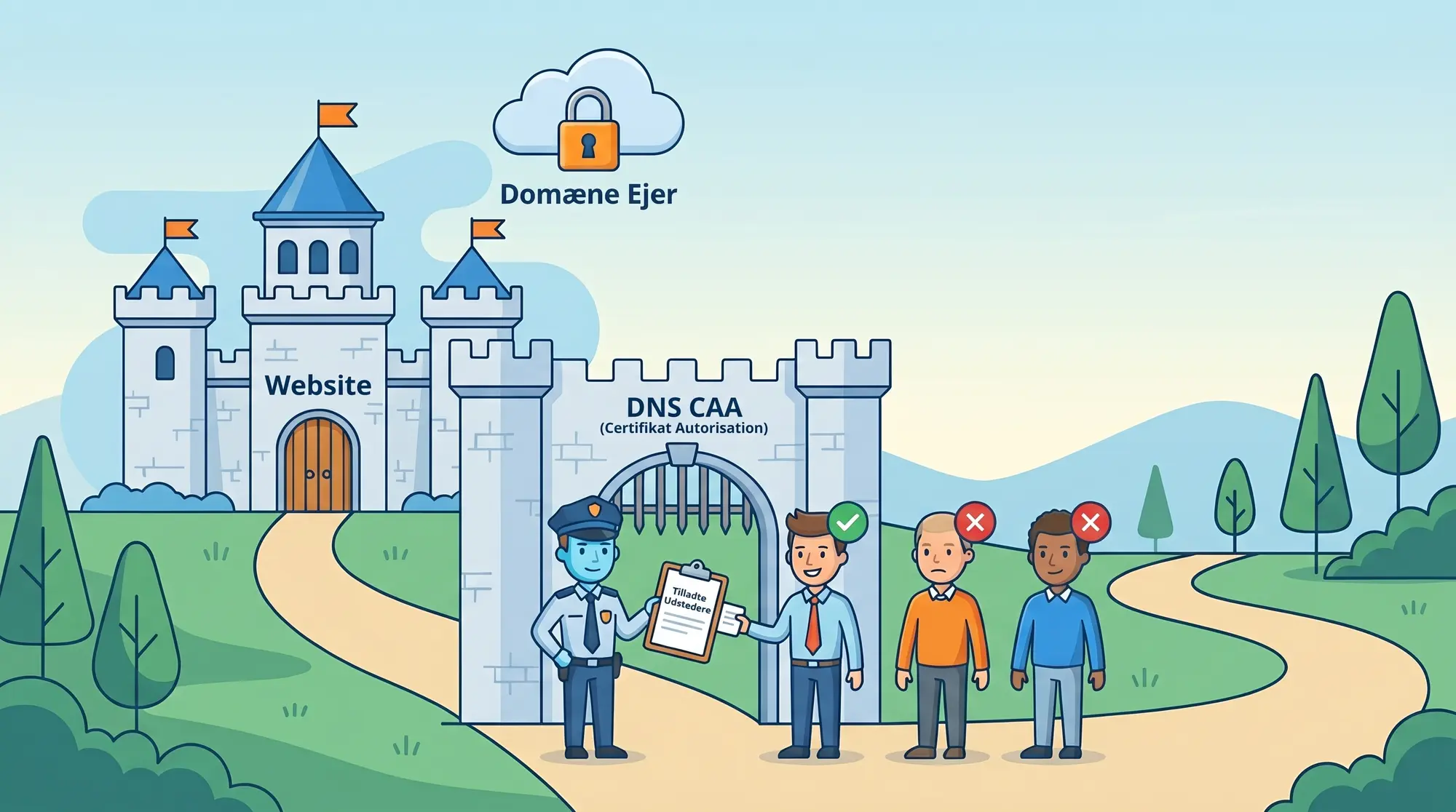
What are CAA records?
Certification Authority Authorization (CAA) is a DNS record type defined in RFC 8659. It tells Certificate Authorities whether they are permitted to issue certificates for your domain.
Since September 2017, all public CAs are required to check CAA records before issuing a certificate. If your CAA record does not permit the CA in question, the CA must reject the request.
CAA is a policy mechanism enforced by CAs during issuance, rather than a technical block in the TLS protocol. If a CA ignores your CAA record and issues a certificate anyway, it violates CA/Browser Forum rules, which can cost it its place in trust stores.
How CAA works
A CAA record has three parts:
- Flag: Usually 0. A value of 128 (critical flag) means the CA must reject issuance if it does not understand the property tag.
- Tag:
issue(permits regular issuance),issuewild(permits wildcard issuance), oriodef(notification on rejected attempts). - Value: The CA's domain name (e.g.
digicert.com) or an empty string to block all.
The CA looks up CAA for the specific domain. If no CAA record exists, it searches upward in the DNS hierarchy (e.g. from www.example.com to example.com). If no CAA records are found at all, all CAs are considered permitted.
Setting up CAA records
A typical setup for a company using DigiCert and GlobalSign:
example.com.  CAA  0 issue "digicert.com"
example.com.  CAA  0 issue "globalsign.com"
example.com.  CAA  0 issuewild "digicert.com"
example.com.  CAA  0 iodef "mailto:ssl-admin@example.com"
In this example, both DigiCert and GlobalSign can issue regular certificates, but only DigiCert can issue wildcard certificates. All rejected attempts are reported via email.
Implicit blocking
When you create at least one issue record, you implicitly block all other CAs. You do not need an explicit "block all" record.
You can block wildcard certificates entirely by adding an empty issuewild record:
example.com. CAA 0 issuewild ";"Another strategy is to allow one CA for wildcards and others only for specific domain names:
example.com.  CAA  0 issue "digicert.com"
example.com.  CAA  0 issue "globalsign.com"
example.com.  CAA  0 issuewild "digicert.com"
Here, both DigiCert and GlobalSign can issue regular certificates, but only DigiCert can issue wildcards.
CAA also supports issuemail for S/MIME certificates (RFC 9495). It works like issue, but controls which CAs can issue email certificates for your domain:
example.com. CAA 0 issuemail "digicert.com"Use our CAA record generator to build the correct configuration for your domain.
CA identifiers
The most important CAs and their CAA identifiers:
| CA | CAA issue value | Note |
|---|---|---|
| DigiCert | digicert.com | Also covers RapidSSL, GeoTrust, Thawte |
| GlobalSign | globalsign.com | Also covers AlphaSSL |
| Sectigo | sectigo.com | Also covers legacy Comodo products and ZeroSSL |
| Let's Encrypt | letsencrypt.org | Used by most hosting providers (one.com, Simply, cPanel, etc.) |
| Certum | certum.pl | |
| ssl.com | ssl.com | Took over Entrust CA operations |
Cloud and hosting provider CAs
The major cloud platforms operate their own CAs. If you use their automatic certificate provisioning (e.g. AWS Certificate Manager or Cloudflare), you must allow their CA in your CAA records, otherwise auto-provisioning will fail.
Cloud platforms have their own CAs
If you use managed TLS certificates from cloud platforms (AWS, Azure, Cloudflare), you must allow their CA in your CAA records. Otherwise auto-provisioning will fail.
| Platform | CAA issue value | Note |
|---|---|---|
| Amazon (AWS) | amazon.com | AWS Certificate Manager (ACM). Required for ALB/CloudFront certificates. |
| Google Cloud | pki.goog | Google Trust Services. Also a free ACME server. |
| Cloudflare | letsencrypt.orgdigicert.compki.goog | Cloudflare uses multiple CAs. Allow all three to avoid issues. |
| Microsoft Azure | digicert.com | Azure App Service uses DigiCert for managed certificates. |
DigiCert's identifier covers all their sub-brands. You do not need to add separate records for RapidSSL or GeoTrust.
Advanced CAA parameters
Notification on issuance attempts (iodef)
CAA supports an iodef property that asks the CA to send a notification if someone attempts to issue a certificate for your domain and is rejected by CAA rules. It requires just one additional DNS record:
example.com. CAA 0 iodef "mailto:ssl-alerts@example.com"You can also specify an HTTPS URL if you want to receive structured reports via a webhook:
example.com. CAA 0 iodef "https://example.com/caa-report"Not all CAs implement iodef, but the major ones (DigiCert, Sectigo) do. It provides an early warning if someone tries to abuse your domain.
Always use iodef
Add an iodef record with an email address. You will be notified if a CA rejects an issuance request for your domain. It costs nothing and provides early warning of abuse.
Account locking (accounturi)
You can restrict issuance to a specific account with the CA by adding accounturi as a parameter:
example.com. CAA 0 issue "letsencrypt.org; accounturi=https://acme-v02.api.letsencrypt.org/acme/acct/123456789"This ensures that only the specific ACME account can issue certificates, even though the CA is permitted in CAA. It is primarily relevant for organisations that want to prevent other departments or staff from creating certificates outside the normal channels.
CAA vs HPKP: Why CAA won
HTTP Public Key Pinning (HPKP) was an earlier attempt to restrict which certificates a browser would accept for a domain. HPKP pinned specific public keys via an HTTP header. If you lost your private key or made a mistake in the configuration, you effectively locked all users out of the domain for the duration of the pin period (typically weeks or months). There was no recovery mechanism. Google Chrome removed HPKP support in 2018.
CAA solves the same problem (restrict who can issue) without the risk of self-harm. You can always change your CAA records, and the change takes effect within the DNS TTL period. No users get locked out.
Common mistakes
- Blocking CAs you already use. The most common mistake is adding CAA records without knowing which CAs already issue certificates for your domain. Check crt.sh to see all issued certificates, or use our CAA generator to build the right records based on your domain. Remember that CAA is checked at issuance, so new certificate orders will be blocked if the CA is not permitted. Update CAA records before ordering from a new CA.
- Forgetting issuewild. If you set
issuerecords but notissuewild, all CAs can issue wildcards. Set explicitissuewildrecords, or useissuewild ";"to block wildcards entirely. - Only issuewild without issue. A wildcard certificate typically covers both
*.example.comandexample.com. The CA therefore needs permission via bothissueandissuewild. Ifissueis missing, the certificate will be rejected. - Forgetting subdomains. CAA records are inherited in the DNS hierarchy. If you set CAA on
example.com, it also applies towww.example.com, unlesswww.example.comhas its own CAA records. - Wrong CA identifier. Use the CA's official domain, not your own or your reseller's. FairSSL is a reseller for DigiCert, GlobalSign, and Sectigo, but the CAA value is the CA's domain (e.g.
digicert.com), notfairssl.dk. - TTL too low. Set a reasonable TTL (300-3600 seconds). A TTL that is too low can cause DNS lookup problems with some CAs.
- Missing iodef.
iodefrecords are optional but useful. They notify you when a CA rejects an issuance due to your CAA policy. This can reveal misconfigurations or attempts at unauthorised certificate issuance. - Forgetting the hosting or cloud platform's CA. Many platforms use multiple CAs, not just one. Cloudflare, for example, rotates between Let's Encrypt, DigiCert, and Google Trust Services. Hosting providers may also use both free and paid CAs. If your CAA blocks just one of them, certificate issuance will fail the next time the platform selects a different CA. Check which CAs your platform uses and allow them all.
- CAA on other domains in the certificate. If your certificate has multiple names (SAN), the CA checks CAA records for each individual domain. If one of the names points via CNAME to a service provider with restrictive CAA records that do not allow your CA, the entire certificate is rejected. This is an error that can be hard to find, because the problem lies on a domain you do not control.
Why CAA and Certificate Transparency exist
CAA and Certificate Transparency (CT) Logs were both created to protect you as a user of certificates, whether you run servers or access them as an end user.
The background is a real concern: CAs can be taken over, extorted, or controlled by state actors. For example, DigiNotar was compromised in 2011, and the Iranian state used the fraudulent certificates to intercept Gmail traffic from Iranian activists. CNNIC, a Chinese state CA, issued unauthorised certificates in 2015. In both cases, the fraudulent certificates were only visible in the country where they were being abused. The rest of the world had no idea.
The scenario is simple: a state-controlled CA issues a certificate for, say, gmail.com or google.com, places it on a surveillance system in the country's network, and can then see what dissidents and activists write to each other or search for. Without CT Logs and CAA, there was no mechanism to detect or prevent this.
Certificate Transparency: no certificate without public record
CT Logs ensure that no internet-valid certificate can function without being publicly registered in append-only logs that cannot be altered after the fact. Browsers (Chrome, Safari) require CT proof before accepting a certificate. If a certificate is not logged, the browser displays a warning.
Any unauthorised issuance becomes visible. Monitoring services such as crt.sh make it possible to search all logged certificates for a domain. Organisations like Facebook, Google, and major banks actively monitor CT Logs and react within minutes if an unexpected certificate appears.
CAA: control over who may issue
CAA records give you direct control over which CAs may issue certificates for your domain at all. If a certificate appears in CT Logs for your domain, and your DNS CAA clearly blocks the CA in question, it is a strong signal that the CA issued without permission. This is a serious violation of CA/Browser Forum rules and can cost the CA its place in trust stores.
If you want to minimise the risk of a Chinese, American, or any other state-controlled CA issuing certificates on behalf of your domain, CAA records are the most direct solution. Combined with CT monitoring, you have both prevention and detection.
CAA costs nothing (a DNS record). CT monitoring is free. There is no reason not to use both.