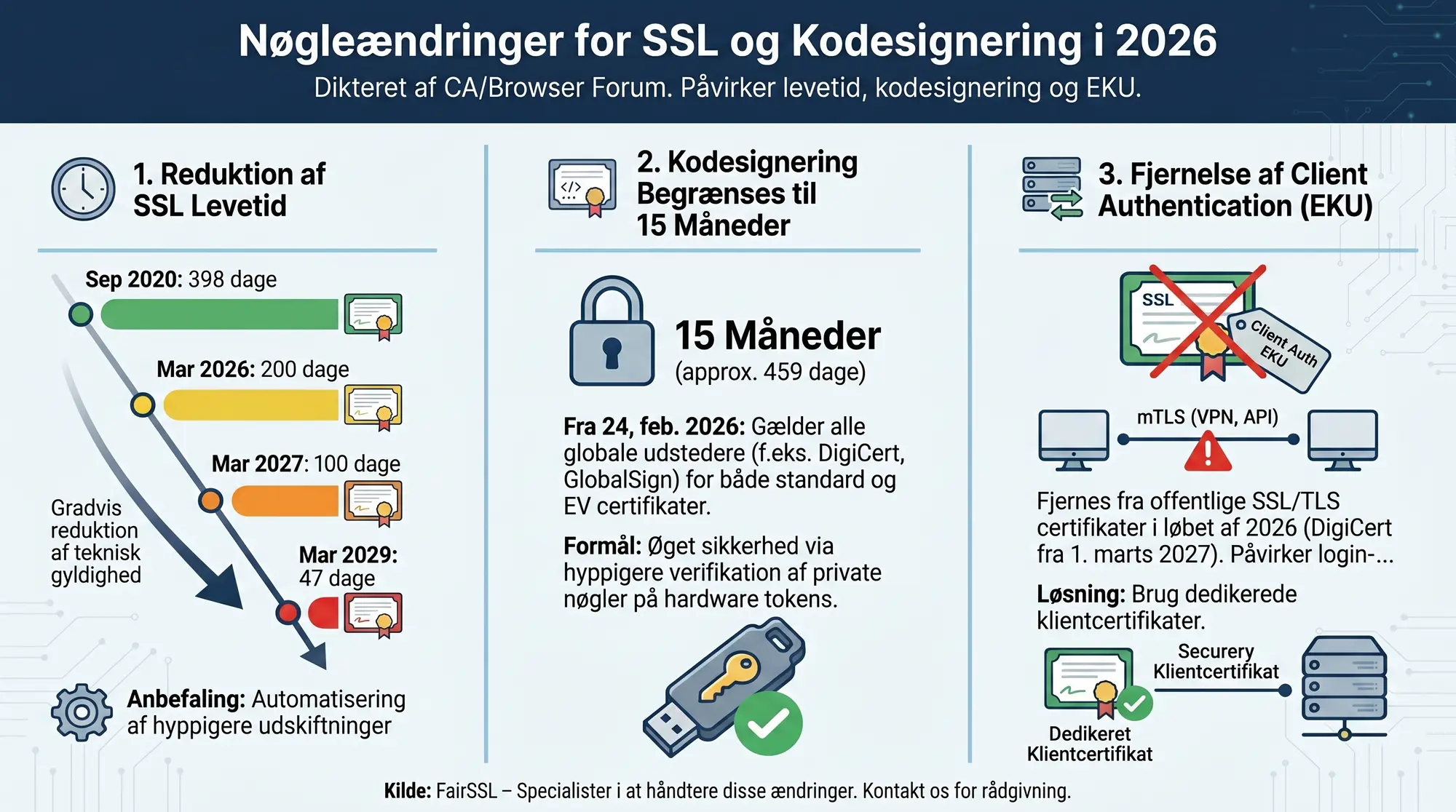
Update March 2026:
Google Chrome Root Program has postponed the deadline to 15 March 2027. DigiCert will remove clientAuth EKU from all new certificates on 1 March 2027. Since 1 October 2025, DigiCert only issues serverAuth by default, but clientAuth can still be opted in at order time.
Client Authentication is disappearing from public SSL certificates
In 2024, CA/Browser Forum adopted Ballot SC-081, which in addition to reducing certificate lifetimes also removes "Client Authentication" from Extended Key Usage (EKU) in public SSL/TLS certificates.
The change is rolled out per CA: DigiCert will remove Client Auth EKU entirely from 1 March 2027, Let's Encrypt removed it as default in February 2026, and other CAs will follow before Chrome Root Program's deadline of 15 March 2027.
If you use your SSL certificates for anything other than server TLS, you should start planning.
What is Extended Key Usage?
Extended Key Usage (EKU) is a field in X.509 certificates that specifies what purposes a certificate may be used for. A typical SSL certificate today has two EKU values:
| EKU | OID | Purpose |
|---|---|---|
| Server Authentication | 1.3.6.1.5.5.7.3.1 |
Permits use as a server certificate in TLS |
| Client Authentication | 1.3.6.1.5.5.7.3.2 |
Permits use as a client certificate in TLS |
Server Authentication is the core purpose, while Client Authentication has historically been included because many products required it, and it did not hurt to have it.
Why is Client Authentication being removed?
CA/Browser Forum has three arguments:
- Principle of least privilege. An SSL certificate is designed to identify a server. That it can simultaneously be used to identify a client expands the attack surface unnecessarily. If a server certificate's private key is compromised, the attacker can not only impersonate the server but also use the certificate for client authentication against other systems.
- Clearer separation. Client certificates should be issued specifically for that purpose with appropriate validation and key management. Reusing a server certificate for client authentication is a shortcut that bypasses this separation.
- Simplified profile. The TLS Server Certificate Profile in the new Baseline Requirements has been tightened. Fewer EKU values give CAs and browsers simpler validation.
Timeline for the change
| CA | Date | Note |
|---|---|---|
| Let's Encrypt | February 2026 | Default profile without clientAuth from 11-02-2026. Temporary tlsclient profile until 08-07-2026. |
| GlobalSign | 13 September 2026 | Switch to TLS-dedicated roots (R46/E46) that do not support clientAuth |
| DigiCert | 1 March 2027 | Incl. RapidSSL, GeoTrust, Thawte. Since 01-10-2025 only serverAuth by default, clientAuth can be opted in. From 01-03-2027 the option is removed entirely. |
| Sectigo | March 2027 (estimate) | Expected to follow the same deadline |
| Google Chrome | 15 March 2027 | New public TLS certificates may only contain serverAuth EKU. Existing certificates are not affected. |
Chrome Root Program's deadline of 15 March 2027 is the real hard boundary. From this date, new public TLS certificates may only contain serverAuth EKU. Existing certificates with clientAuth keep their EKU and remain trusted until they expire.
Certificates issued before the CA's change date keep their Client Auth EKU and remain trusted until they expire. Only new issuances (and reissuances) after the date lack it.
With the simultaneous reduction of SSL lifetime to 200 days (from March 2026), all certificates in circulation will lack Client Auth EKU within a year of the change.
Who is affected?
You are affected if you use your SSL certificate for:
- VPN authentication: Many VPN solutions (OpenVPN, Cisco AnyConnect, Fortinet SSL VPN) can be configured to require a client certificate at login. If it is the same certificate the web server uses, it will stop working.
- Mutual TLS (mTLS): APIs and microservices that use mTLS to verify both parties in a connection. If the server certificate is also used as a client certificate in outgoing calls, it will fail.
- RDP Gateway: Windows Remote Desktop Gateway can use the certificate for both server and client authentication.
- Exchange Server: Internal Exchange connections (server-to-server) use Client Auth EKU in some configurations.
- RADIUS/802.1X: Network authentication via EAP-TLS, where the server certificate also serves as client identity.
You are not affected if you only use the SSL certificate for HTTPS on a web server. This is by far the most common scenario, and it only requires Server Authentication EKU.
Deadline: 15 March 2027
From this date, new public TLS certificates may not contain Client Authentication EKU. Existing certificates keep their EKU until expiry. If you use Client Auth today, you must plan the transition.
What should you do?
If you use Client Auth EKU, you have several options:
1. Dedicated client certificates from a private CA
The most robust solution is to set up an internal CA (e.g. via Active Directory Certificate Services, step-ca or OpenSSL) and issue dedicated client certificates for the affected systems.
Advantages: full control over EKU, lifetime and issuance policy. No dependency on external CAs. No ongoing costs beyond running the CA infrastructure.
Disadvantage: requires infrastructure to run an internal CA and distribute certificates.
For simple scenarios with few servers, a self-signed certificate with Client Auth EKU may be sufficient. You lose central management but avoid running a full CA. Each self-signed certificate must be added individually as trusted on the receiving systems.
If you want the benefits of a private CA without running the infrastructure yourself, several commercial CAs offer managed private CA services (e.g. DigiCert ONE, GlobalSign Atlas). You pay an ongoing licence and get a hosted CA with API access, certificate management and automatic issuance. This makes sense for larger organisations with many client certificates, but is overkill for a couple of VPN servers.
2. Separate server certificates for mTLS
If you use mTLS between internal services, you can issue certificates from a private CA for that purpose and keep the public SSL certificate for customer-facing TLS.
3. Check your configuration now
Many systems that apparently require Client Auth EKU can be configured to work without it. Check the documentation for your VPN, load balancer or application gateway. Often the requirement is a default setting that can be turned off.
4. Contact us
If you are unsure whether your systems use Client Auth EKU, feel free to contact us. We can help identify dependencies and plan the migration.
Timeline and recommendation
Start by identifying which systems use Client Auth EKU:
- Review your VPN configuration. Does it require a client certificate?
- Search configuration files for references to Client Authentication or OID 1.3.6.1.5.5.7.3.2.
- Test with a certificate without Client Auth EKU in a test environment before the change hits production.
- Plan the transition to dedicated client certificates if necessary.